
Prepare the provider account
You need an API key with access to the Agent model shown in the provider card and working API billing. OpenAI keys come from the OpenAI API platform; Claude keys come from the Claude Console. ChatGPT and Claude consumer subscriptions do not fund these API calls. Set up API billing separately with OpenAI or Claude. Only the AutoAdy workspace owner can connect, check, replace, or disconnect these keys. Owners and media buyers in that workspace can use the connected provider; Client Viewers cannot. This is a workspace connection, not a separate key for each selected ad account.Connect and check
- As the owner, open Settings → AI & Agents → AI providers.
- On OpenAI or Claude by Anthropic, choose Connect API key.
- Paste the Provider API key. For a Claude key that spans multiple provider workspaces, supply its Workspace ID when required.
- Choose Connect key. Wait for Connected and the masked key suffix, then check that it identifies the key you intended.
- Use Check connection for a later authentication/model-access check.
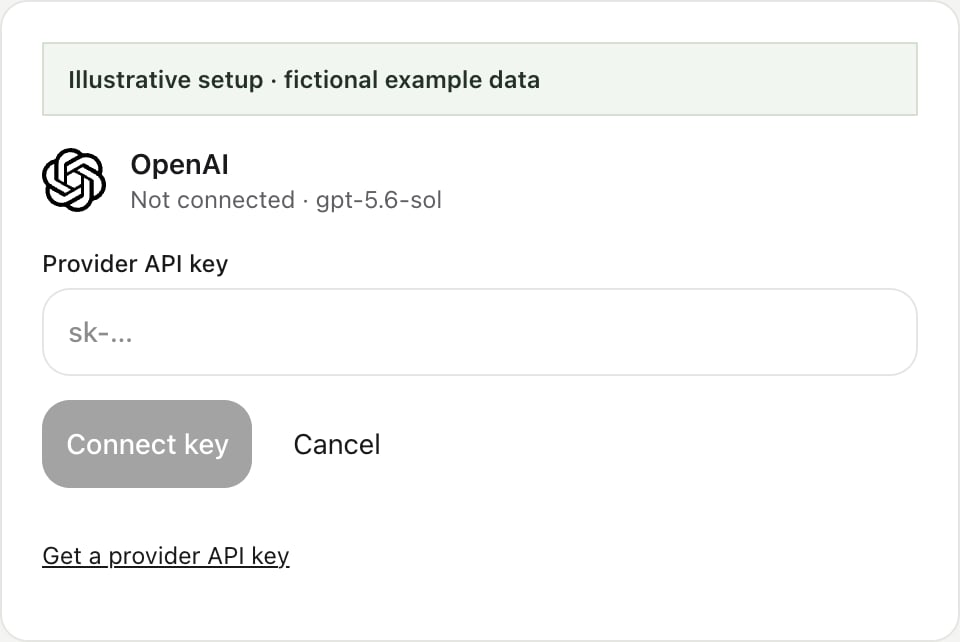
Illustrative setup with fictional data. Paste your own key in this field; the example shows an unconnected provider.
Choose what pays for the conversation
Open Credits and AI in the app sidebar, then use Use in AutoAdy before sending an Agent request. AutoAdy credits is the default; choose OpenAI API key or Claude API key when its connection is available. Connect Claude or GPT opens provider setup.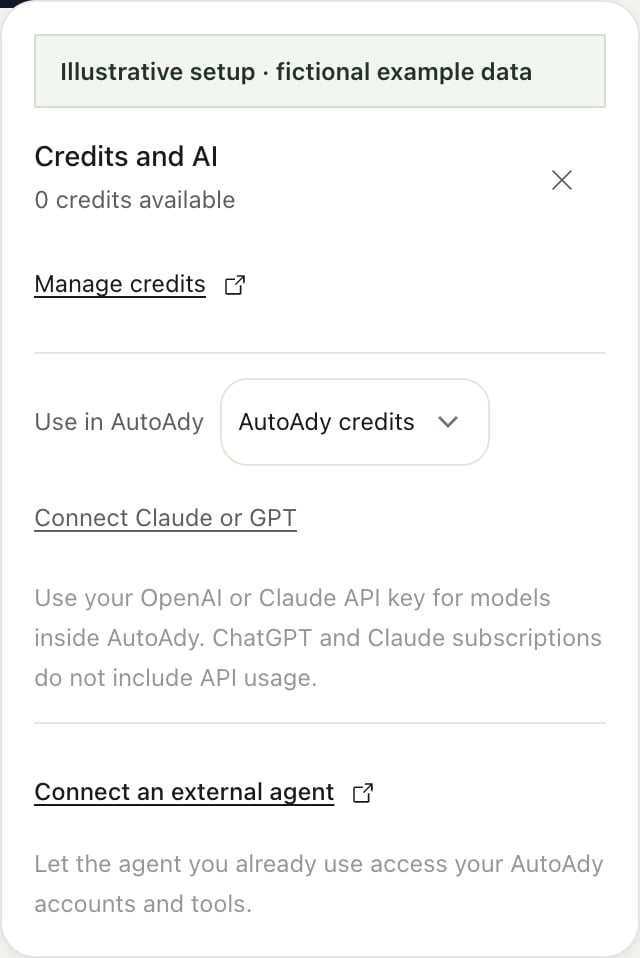
Illustrative sidebar popover. This workspace uses credits; connected provider choices become available after setup.
Replace or disconnect
Choose Replace key, enter the replacement, and use Connect key. Verify the new masked suffix and Check connection before returning to the Agent. Revoke an exposed or retired key in its provider console as well. Disconnect removes this workspace’s saved connection. It does not revoke the key at OpenAI or Anthropic. Reopen the conversation after a key or workspace-access change before continuing.Recover a failed response
If provider settings cannot load, choose Retry; existing keys have not changed. For persistent configuration errors, contact support with the provider and message, never the secret key.